Dear AddaxAIers,
After some troubleshooting, I have found that there seems to be an incompatibility with images produced by Frame Grab (which is how I go from videos to picture normally) and AddaxAI.
I have found a way to make such an mage which produces erroneous results available on-line for download, without alteration: please use https://upload.wikimedia.org/wikipedia/commons/f/fe/Tyrannus_savana_(Fork-tailed_Flycatcher)_flying_in_Ciudad_Del_Este%2C_Alto_Paraná%2C_Paraguay_(Nov_21%2C_2025_-_6%3B41_PM_UTC-03%3B00).jpg (781KB, 2160x3840 pixels, 96dpi) as a source image to run through AddaxAI, choose any file-name of your liking (I can reproduce the bug regardless of the file-name), and kindly let me know if you can reproduce this bug.
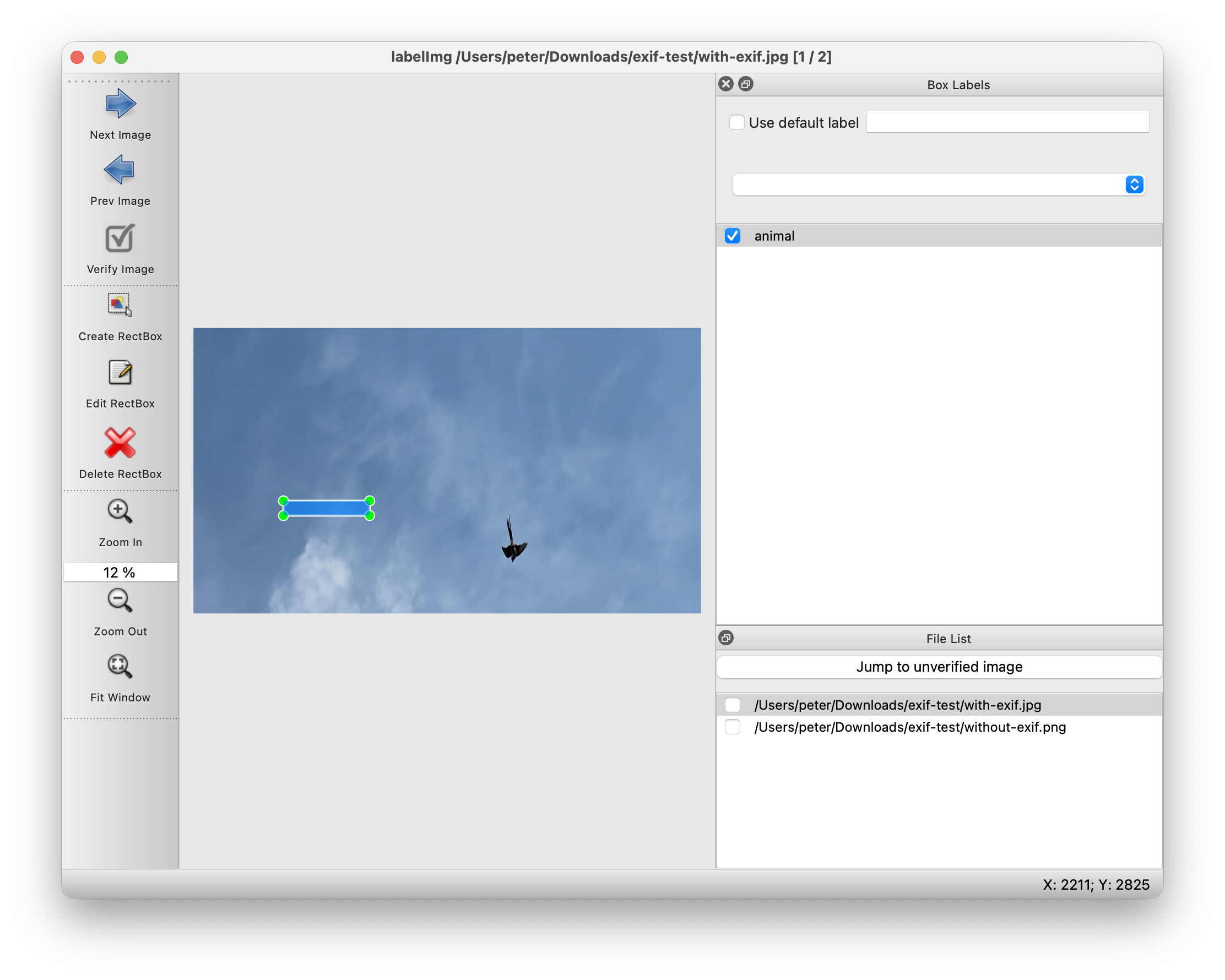
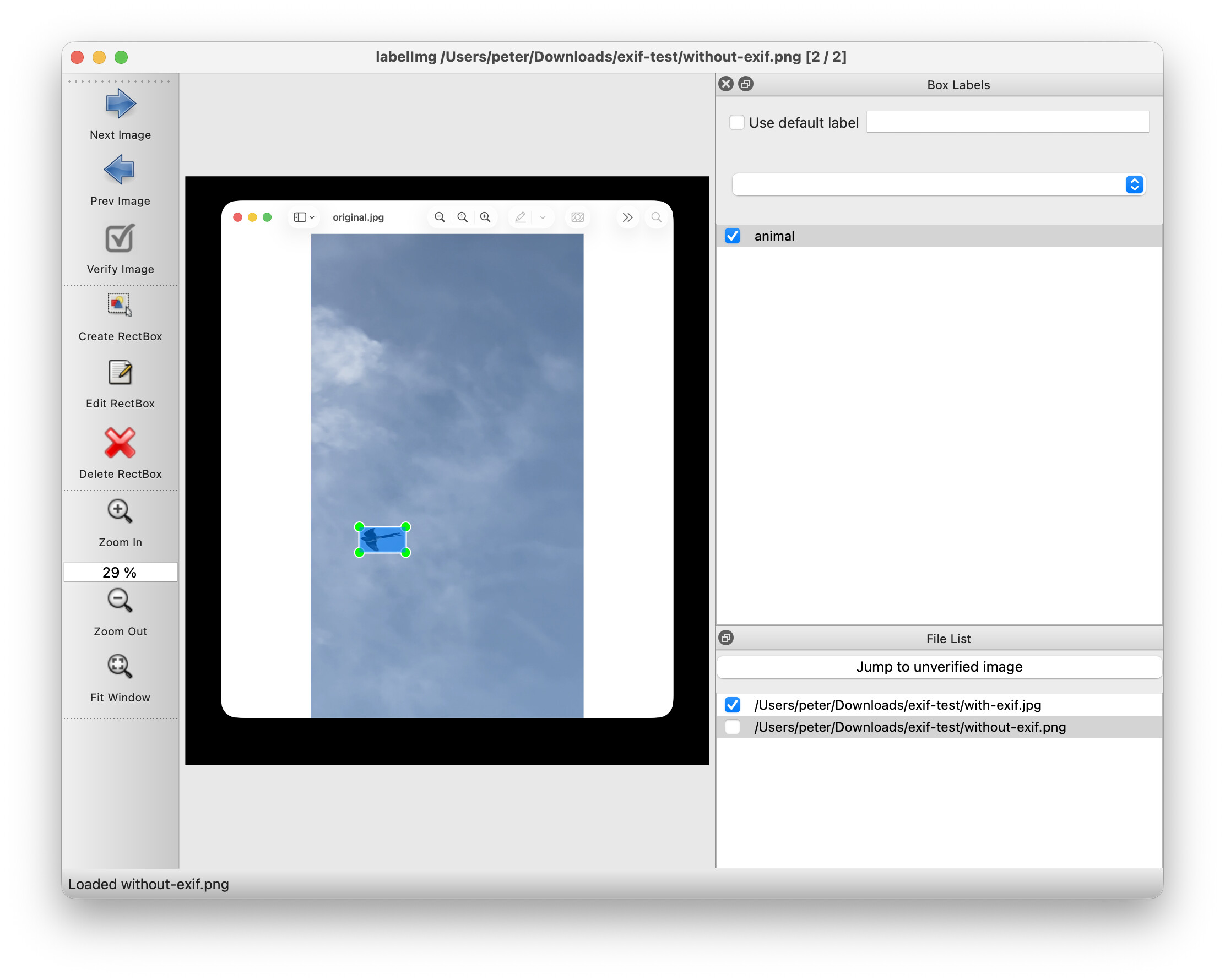
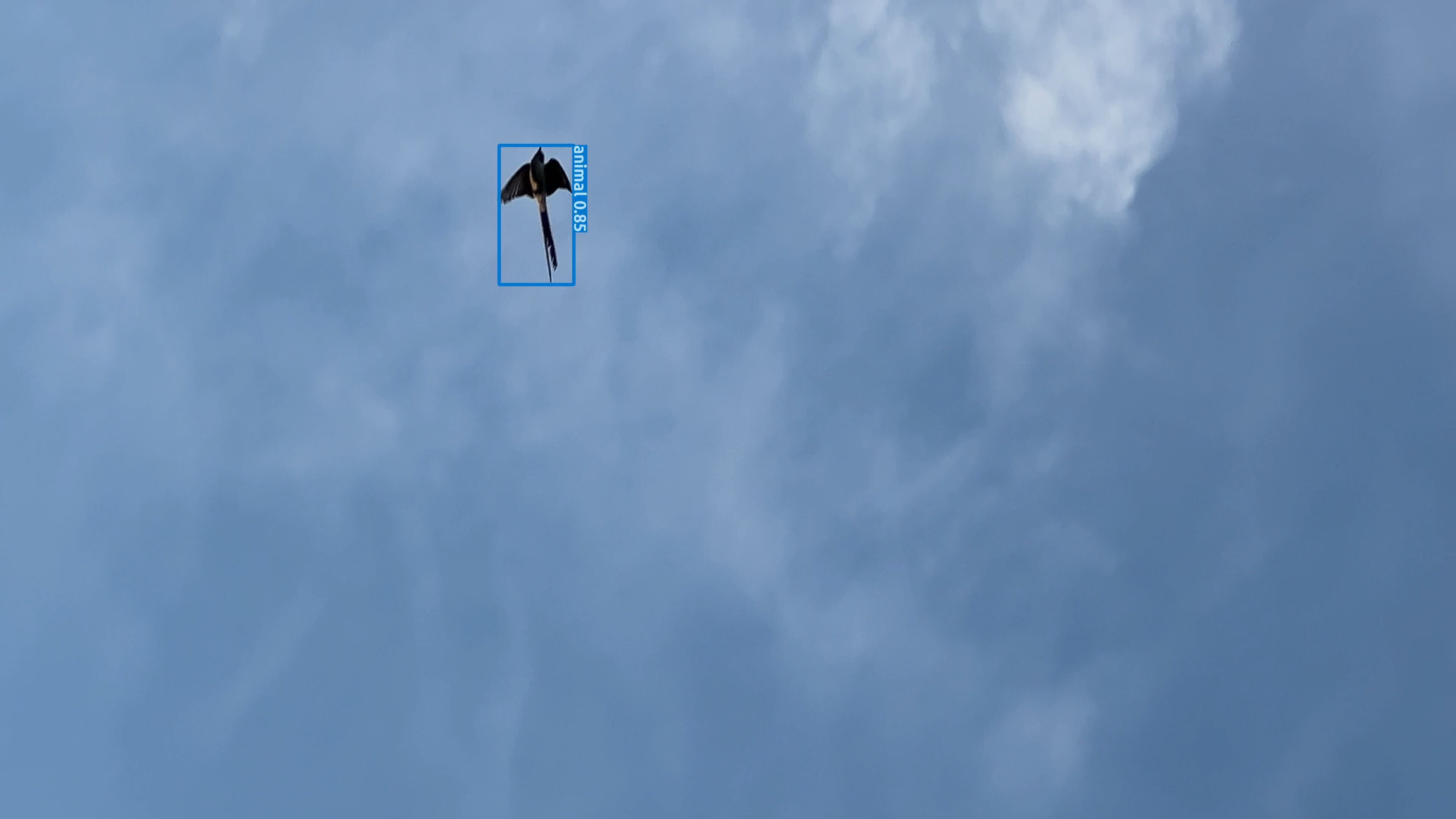
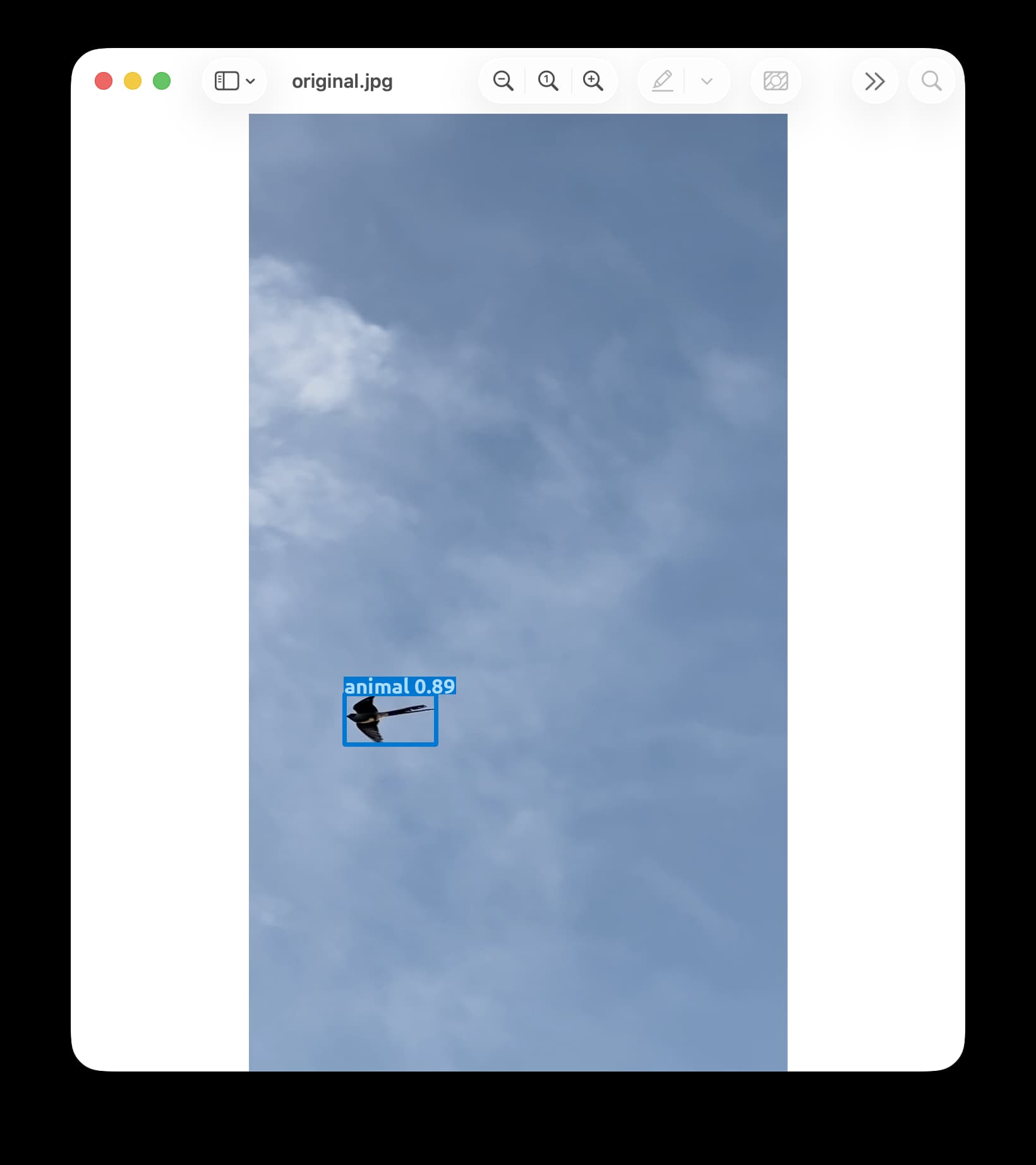
The erroneous result is as follows:
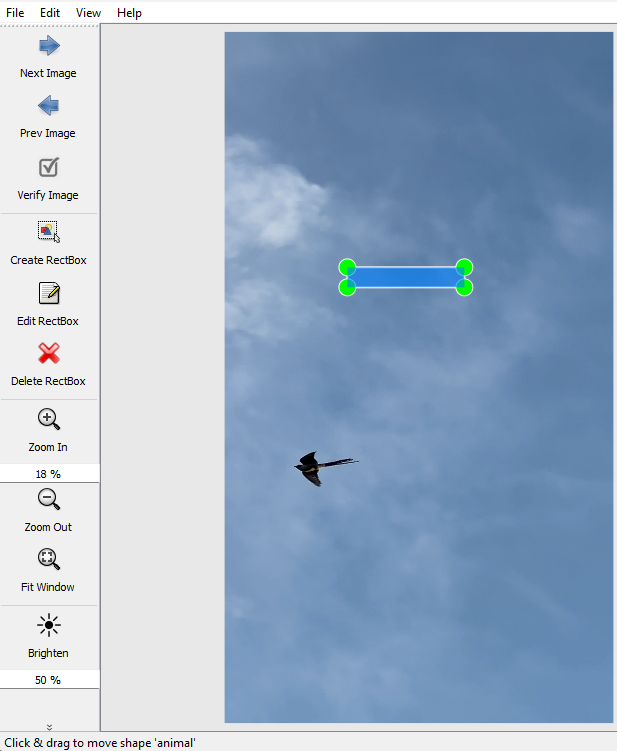
It produces a rectangle (RectBox, or bbox) labeled ‘animal’ which is far off (and completely off) from the bird, namely a piece of the sky covering some air and/or clouds.
I can create many more of these original images upon request, that produce similar completely erroneous results, if necessary.
I suspect the reason for this incompatibility to be that Frame Grab seems to produce images with EXIF Orientation metadata, more specifically of value 6 (i.e “Rotate 90 CW”). This can be known via the command line as such:
- exiftool -Orientation image.jpg
- exiftool -Orientation -n image.jpg
To remove the Orientation then, we could use
- exiftool -Orientation=* -n image.jpg
If you can or can not reproduce this and/if you see a different hypothesis, please let me know.
Regarding the above hypothesis, I have consequently created a general post regarding the suspected problems that AddaxAI has with EXIF (Orientation) metadata. For that general post, please see AddaxAI produces erroneous results with pictures containing EXIF Orientation metadata .
Kind regards,
Vincent Verheyen
Please do not flag this post as spam. I am not trying to promote any tool here. In fact, I am reporting a bug (the opposite of spam, as I am saying there is an incompatibility between tools), and I just want to report on the incompatibility such that other users can troubleshoot their issues and find a solution.
Note: The above was tested from my side using the currently latest version of AddaxAI (6.23) for Windows. I am using a clean install of AddaxAI on a Windows PC with a 128 MB Graphics Card Intel(R) Iris(R) XeGraphics (I note in the ‘Analysis progress’ during ‘Locating animals…’ that processing is running on: CPU), and with following settings: Advanced mode — MegaDetector 1000 Redwood — Model to identify animals: None — Manually verify results: Confidence range from 0 to 1 for all Classes). Original source videos were shot on iOS (iPhone 13 Pro Max), then stills from the videos were extracted using Frame Grab (for iOS 2.63), and these were sent to the Desktop PC. The results were not influenced by whether or not the sending was done via cable or wirelessly.