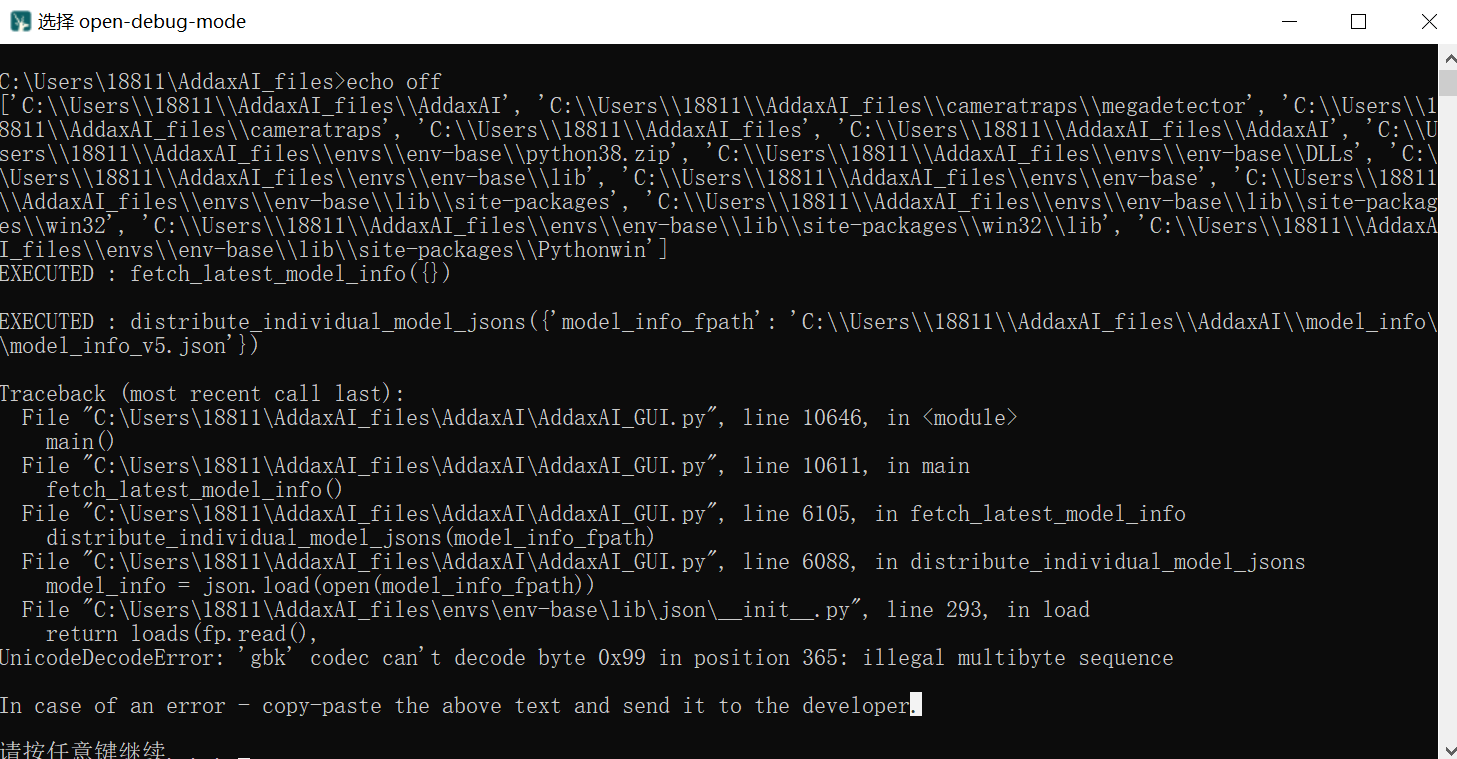
Hi @petervanlunteren , I met another problem here, please see the error report and all traceback below.Processing: 微信图片_20260204101140_211_5.png…
Again thank you very much for your time!
SpeciesNet is starting up…
C:\Users\dell\AddaxAI_files\envs\env-speciesnet\Lib\site-packages\yolov5\utils\general.py:34: UserWarning: pkg_resources is deprecated as an API. See Package Discovery and Resource Access using pkg_resources - setuptools 80.10.2 documentation. The pkg_resources package is slated for removal as early as 2025-11-30. Refrain from using this package or pin to Setuptools<81.
import pkg_resources as pkg
I0204 10:12:04.056918 8844 classifier.py:109] Loaded SpeciesNetClassifier in 2.64 seconds on CPU.
Traceback (most recent call last):
File “”, line 198, in _run_module_as_main
File “”, line 88, in _run_code
File “C:\Users\dell\AddaxAI_files\envs\env-speciesnet\Lib\site-packages\speciesnet\scripts\run_model.py”, line 476, in
app.run(main)
File “C:\Users\dell\AddaxAI_files\envs\env-speciesnet\Lib\site-packages\absl\app.py”, line 367, in run
_run_main(main, args)
File “C:\Users\dell\AddaxAI_files\envs\env-speciesnet\Lib\site-packages\absl\app.py”, line 312, in _run_main
sys.exit(main(argv))

         ^^^^^^^^^^
File “C:\Users\dell\AddaxAI_files\envs\env-speciesnet\Lib\site-packages\speciesnet\scripts\run_model.py”, line 398, in main
model = SpeciesNet(

        ^^^^^^^^^^^
File “C:\Users\dell\AddaxAI_files\envs\env-speciesnet\Lib\site-packages\speciesnet\multiprocessing.py”, line 610, in init
self.detector = SpeciesNetDetector(model_name)

                ^^^^^^^^^^^^^^^^^^^^^^^^^^^^^^
File “C:\Users\dell\AddaxAI_files\envs\env-speciesnet\Lib\site-packages\speciesnet\detector.py”, line 81, in init
checkpoint = torch.load(

             ^^^^^^^^^^^
File “C:\Users\dell\AddaxAI_files\envs\env-speciesnet\Lib\site-packages\torch\serialization.py”, line 1486, in load
with _open_zipfile_reader(opened_file) as opened_zipfile:

     ^^^^^^^^^^^^^^^^^^^^^^^^^^^^^^^^^
File “C:\Users\dell\AddaxAI_files\envs\env-speciesnet\Lib\site-packages\torch\serialization.py”, line 771, in init
super().__init__(torch._C.PyTorchFileReader(name_or_buffer))

                 ^^^^^^^^^^^^^^^^^^^^^^^^^^^^^^^^^^^^^^^^^^
RuntimeError: PytorchStreamReader failed reading zip archive: failed finding central directory
Converting SpeciesNet output to AddaxAI format…
Traceback (most recent call last):
File “C:\Users\dell\AddaxAI_files\AddaxAI\classification_utils\model_types\speciesnet_to_md.py”, line 339, in
main()
File “C:\Users\dell\AddaxAI_files\AddaxAI\classification_utils\model_types\speciesnet_to_md.py”, line 333, in main
generate_md_results_from_predictions_json(
File “C:\Users\dell\AddaxAI_files\AddaxAI\classification_utils\model_types\speciesnet_to_md.py”, line 102, in generate_md_results_from_predictions_json
with open(predictions_json_file, "r") as f:

     ^^^^^^^^^^^^^^^^^^^^^^^^^^^^^^^^
FileNotFoundError: [Errno 2] No such file or directory: ‘E:\Liu Mingzhang\N10E1\sppnet_output_file.json’
Converting Done!
Adding AddaxAI metadata…